Free QR code generator, PDF tools and full page screenshots
Make a QR code with your logo and download it as PNG, SVG or PDF. No sign-up, no watermark and no ads when your code is scanned.
Need to change the link after printing? Make it a dynamic code: edit it any time, see scans by day, country and device. Free, and no ads on your scans.
Create Free Account- No sign-up
- No watermark
- No ads on scans
- Test-scanned
- Private by default
Static or dynamic QR codes, both free
Static codes hold your content in the code itself. Dynamic codes hold a short link you can change after printing, with scan stats. Neither shows ads to the people who scan them.
Static QR Code
No account needed
- Your link, Wi-Fi details or contact card stored in the code
- Keeps working with no server in the middle
- Logos, colours, frames, templates and dot styles
- PNG, SVG, PDF and print sizes
- Bulk codes from a list or spreadsheet
Dynamic QR Code
Free account
- Change where the code goes after it is printed
- Scan stats by day, country, device and browser
- Pause, schedule start and end dates, or cap scans
- Password protection and campaign (UTM) tags
- API and MCP server for your own apps and AI tools
How NeoReader compares with other free QR code sites
What many “free” generators do, checked against their own pricing and help pages in November 2026.
| NeoReader | Many free QR sites | |
|---|---|---|
| Ads when someone scans your code | Never | After the first few scans on the free plan |
| Removing those ads | Nothing to remove | Paid plan, sometimes for one code only |
| Static codes (no redirect) | Free, no account | Often paid or hidden |
| Edit a code after printing | Free account | Account, ads on the free plan |
| SVG and PDF downloads | Free | Sometimes paid |
| Scan stats | Free | Free for a year, then deleted |
| API and MCP server | Free with your account | Usually a paid plan |
Tools
Free online tools for QR codes, PDFs and screenshots
Our most popular tools are below. Pick a category to see the rest.
QR Code Generator Web + Extension
Make a QR code with your logo, colours and a frame, then download it as PNG, SVG or PDF.
QR Scanner Web
Scan a code with your camera or from an image. Links are checked before you open them.
Scan QR From Image Web
Upload a screenshot or photo and read the code inside it.
Barcode Generator Web
Create UPC, EAN, Code 128 and other barcodes, with check digits worked out for you.
Full Page Screenshot Extension
Capture an entire web page, top to bottom, then crop, blur and annotate it.
Screen Recorder Extension
Record a browser tab, a window or your whole screen, with your mic and webcam.
The toolkit
What the others charge for, free.
QR code designer
Logos, gradients, dot and corner styles, “Scan me” frames. Links, Wi-Fi, contacts, events and more. PNG, SVG and print-ready PDF.
Design a codeScanner
From a screenshot, photo or webcam. Flags fake and hidden links before you open them.
Scan a codeBulk QR codes
Paste a list or a CSV, download hundreds of styled codes in one ZIP.
Make a batchBarcodes
EAN-13, UPC-A, Code 128, Data Matrix, PDF417. Check digits done for you.
Make a barcodeBrowser extensions
QR codes, full page screenshots and Dark Mode for Chrome, Edge and Firefox, with more on the way.
See the suiteA QR code for anything
Pick what it's for and the designer opens ready to fill in.
Browser extensions
Free browser extensions for Chrome, Edge and Firefox
Use the same tools on any page you visit. Each extension is free, asks only for the permissions it needs, and works without an account.
NeoReader Pro · coming soon
Go further with Pro.
Dynamic codes with scan stats are already free with an account. Pro will add tools for teams and brands, plus natural AI voices and page summaries across the suite. The free tools stay free.
Free
Static codes with no account, dynamic codes with one
- Static QR codes that never expire
- Dynamic codes you can edit after printing
- Scan stats, schedules, scan limits and passwords
- Logos, colours, frames and dot styles
- PNG, SVG, PDF and print sizes
- API and MCP server
- Scanner with link safety checks
- Extensions for Chrome, Edge and Firefox
Pro
For teams and brands, and AI
- Route by phone type, language or location
- Your own short-link domain
- Shared folders for your team
- Hosted pages for menus, PDFs and contact cards
- Bulk dynamic codes from a spreadsheet
- No ads or interstitials for your scanners, ever
- AI summaries and natural AI voices across the suite
Why NeoReader
Most “free” QR tools aren’t.
Watermarks, paywalled downloads, and codes that quietly route through someone else’s server until the trial ends. We built the opposite.
Your code, not a redirect
Free codes hold your link directly. No middleman server, so they never expire and nobody tracks who scans them.
Private by design
Codes are made and scanned in your browser. We do not receive your logos, photos or camera video.
Checked before you print
Every design is test-scanned as you edit, with a clear warning if colours or a logo would make it unreliable.
Safe scanning
Scanned links are checked for fake brand sites, hidden destinations and other QR phishing tricks.
Since the early days of QR
Looking for the NeoReader app?
NeoReader was one of the first QR code readers for phones. It scans codes right in your browser, on any phone or computer, with nothing to install.
Guides
How-to guides
 Guide
How to take a screenshot of a video
NeoReader · Aug 29, 2026
Guide
How to take a screenshot of a video
NeoReader · Aug 29, 2026
 Guide
How to take a full page screenshot in Chrome
NeoReader · Aug 28, 2026
Guide
How to take a full page screenshot in Chrome
NeoReader · Aug 28, 2026
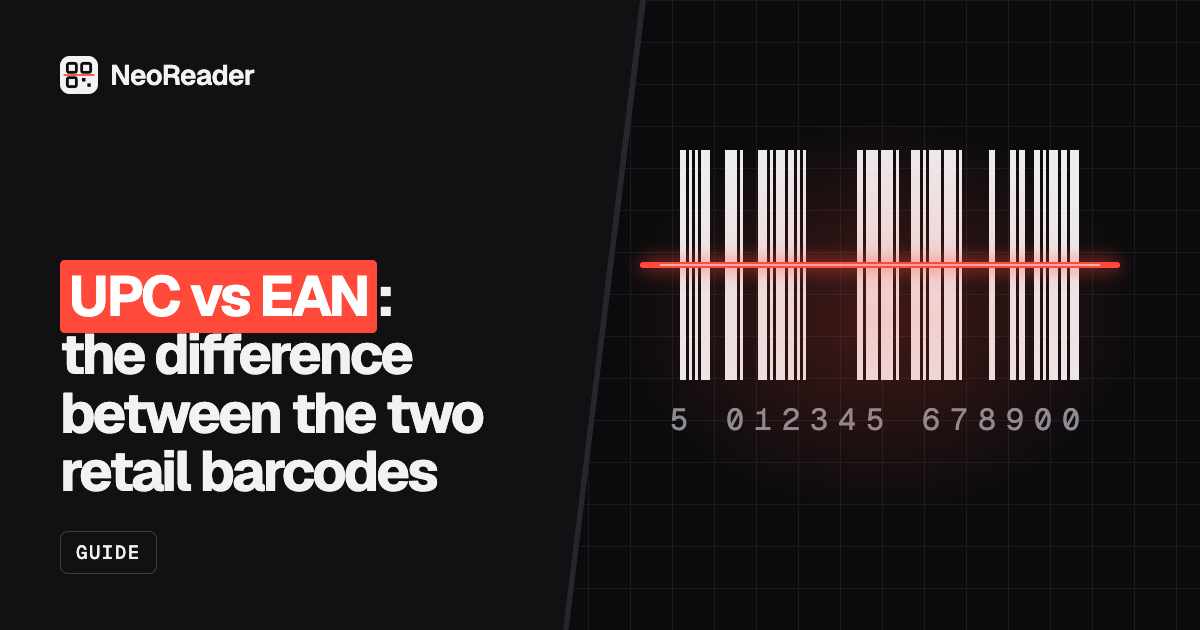 Guide
UPC vs EAN: the difference between the two retail barcodes
NeoReader · Aug 19, 2026
Guide
UPC vs EAN: the difference between the two retail barcodes
NeoReader · Aug 19, 2026
 Guide
QR code phishing (quishing): what it is and how to spot it
NeoReader · Aug 18, 2026
Guide
QR code phishing (quishing): what it is and how to spot it
NeoReader · Aug 18, 2026
 Guide
Why did my QR code stop working?
NeoReader · Aug 15, 2026
Guide
Why did my QR code stop working?
NeoReader · Aug 15, 2026
 Guide
How to make a QR code, step by step
NeoReader · Aug 13, 2026
Guide
How to make a QR code, step by step
NeoReader · Aug 13, 2026
Create a QR code free in three steps
NeoReader is a free QR code generator that works online in any browser. There is nothing to download, no account to make and no trial to cancel. For a quick code, paste a link into the tool at the top of this page. For every style option, open the full QR code designer:
- Add your content. Paste a link, or choose Wi-Fi, contact card, email, SMS, phone, WhatsApp, calendar event, location, crypto or text.
- Make it yours. Pick colours, a dot pattern, corner shapes, a “Scan me” frame and your logo. The code is test-scanned as you edit.
- Download. PNG, JPG or WebP for screens, SVG or PDF for print, up to 4000 pixels. Or copy it to your clipboard.
That is the whole process. For printing tips and a longer walk-through, read how to make a QR code.
What a completely free QR code generator should include
Plenty of sites call themselves free and then ask for an email address at the download step, stamp a watermark on the code, or lock SVG files behind a plan. Here is what you get from NeoReader without paying:
- No sign-up, no email and no watermark.
- Logo upload, colours, gradients, dot styles, corner styles and frames.
- PNG, SVG, PDF, JPG and WebP downloads, including print sizes.
- A live scan test with warnings when colour, contrast or a logo make the code unreliable.
- Static codes with no scan limit, no expiry date and no ads between the scan and your link.
- Bulk generation from a list or CSV, a barcode generator and a QR code scanner.
Free QR codes that never expire
A frequent complaint about free QR codes is that it stopped working months after it was printed. That happens when the code holds a short link to the generator's own server rather than your link. When the trial ends, the redirect is switched off or replaced with an upgrade page.
NeoReader makes static codes. Your link or text is stored in the code itself, so there is no server in the middle to switch off, and nobody tracks who scans it. The QR code generator with no expiration page explains the difference, and why QR codes stop working helps if a code from another service has broken. If you do need to change a code after printing, create a free account and make a dynamic code instead. It points at a short NeoReader link you can edit any time, and it never shows ads to the people who scan it.
Free QR codes for business
Codes you make here carry no licence fee, so you can print them on packaging, menus, business cards, posters and adverts. Common uses:
- Restaurants and cafés: a menu link on every table, and a Wi-Fi code by the till.
- Business cards: a contact card that saves your details straight into a phone.
- Reviews: a code that opens your Google review page.
- Shops and packaging: a link to instructions, a product video or your WhatsApp.
- Events: a calendar invite or ticket page on the poster.
Need a code for every table, product or guest? The free bulk QR code generator turns a list or CSV into a ZIP of styled codes.
A free QR code for Wi-Fi, PDFs and more
A QR code can do more than open a website. With the free generator you can make a code that joins a Wi-Fi network, saves a contact card, opens a WhatsApp chat, adds a calendar event, shows a map location or starts an email or text message. See the Wi-Fi QR code generator or the QR code for business cards for the most popular ones.
For a PDF, image or video, upload the file to a service you control, such as Google Drive, Dropbox or YouTube, set sharing to “anyone with the link”, and turn that link into a QR code. The PDF to QR code page walks through it. File hosting is coming soon with NeoReader Pro.
How to choose the best free QR code generator
Before you print anything, check four things: does the code point straight to your content or through a redirect, is there a watermark, can you download SVG or PDF for print, and can you add a logo without paying. Our guide to the best free QR code generators compares the popular options on those points, and there are side-by-side pages for QR Code Monkey and Canva users.
Are free QR codes safe?
A QR code is only as safe as the link inside it. Codes made here hold your link directly, so nobody can change where they point after you print them. When you scan a code, the NeoReader scanner shows the destination first and warns about look-alike brand sites, hidden destinations and other phishing tricks. Our guide to QR code phishing explains what to look for.
Free online, private by default
The generator runs in your browser on iPhone, Android, Windows, Mac and Chromebook, so there is no QR code app or software to download. What you type and the logo you add are handled in your browser, and we don't receive or store them. The same goes for the free QR code scanner, which reads codes from a screenshot, photo or webcam and checks links for phishing before you open them.
Free PDF tools with no daily limits
Merge, compress, split, rotate and convert PDFs without an account or a daily cap. Start with merge PDF, compress PDF or PDF to Word, or see all PDF tools. Each tool page explains how your file is handled.
Full page screenshots in one click
The free Full Page Screenshot extension captures an entire web page, however long, and opens it in an editor where you can crop, blur private details and add arrows or text before saving it as a PNG or PDF. To edit a screenshot you already have, use the online screenshot editor.
More free tools beyond the QR code maker
The same site has a free barcode generator for UPC, EAN, Code 128 and Data Matrix, with check digits calculated for you, and a bulk QR code generator for batches of up to 1,000 codes. For your browser there is the NeoReader QR extension, which makes a code for the page you are on and scans codes on screen, and the NeoReader full page screenshot extension.
Related searches
More free tools and guides people look for alongside a QR code generator.
Guides
FAQ
Questions
How do I create a QR code for free?
Paste a link into the generator at the top of this page and download it as PNG or SVG. For a logo, colours and frames, open the QR designer. Everything is free, with no sign-up and no watermark.
Is NeoReader really free?
Yes. Creating, customising, downloading and scanning QR codes is free, with no watermark and no sign-up. Free codes contain your content directly, so they keep working.
Do my QR codes expire?
Static codes don’t. They hold your link or text directly rather than pointing at a NeoReader server, so there is nothing that can expire or be switched off. Dynamic codes keep working until you pause or delete them, or until an end date you set yourself.
Can I change a QR code after printing it?
Yes, with a dynamic code. Create a free account, make a dynamic code and print it. You can change where it goes at any time from your dashboard, and see how many people scanned it.
Do your dynamic QR codes show ads?
No. Scans go straight to your link with no ad, pop-up or waiting page, whether you use a free account or not.
Can I use a free QR code for my business?
Yes. There is no licence fee and no watermark, so you can print the codes on packaging, menus, business cards, signs and adverts.
Can I add a logo?
Yes, free. Upload a logo in the QR designer; we automatically raise the error correction so the code still scans, and test it for you.
Do I need to download an app to make a QR code?
No. NeoReader works in the browser on phones, tablets and computers. There is nothing to install.
What is the best free QR code generator?
Look for one that makes static codes, adds no watermark, lets you add a logo and download SVG or PDF without paying. NeoReader does all four; our guide compares the popular options.
Is my data private?
Yes. The generator and scanner run in your browser, with no account. We do not receive what you type, the logos you add or the images you scan.
Are the PDF tools free too?
Yes. You can merge, compress, split, convert and watermark PDFs for free, with no account and no daily limit.
Which browsers have NeoReader extensions?
Chrome, Microsoft Edge and Firefox. Each extension is free and works without an account.
What is NeoReader Pro?
Pro is coming soon for teams and brands: routing by device, language or location, your own short-link domain, shared folders and hosted pages. Dynamic codes, scan stats and the API are already free with an account, and the free tools stay free.
What happened to the NeoReader app?
The original NeoReader phone app has been retired. You can scan QR codes on neoreader.com from any browser, or add the NeoReader QR browser extension.
Make your first code in ten seconds.
No account, no watermark, no expiry. Just paste a link.